Analytics
A customizable deep-dive report across 17 cards. (Premium)
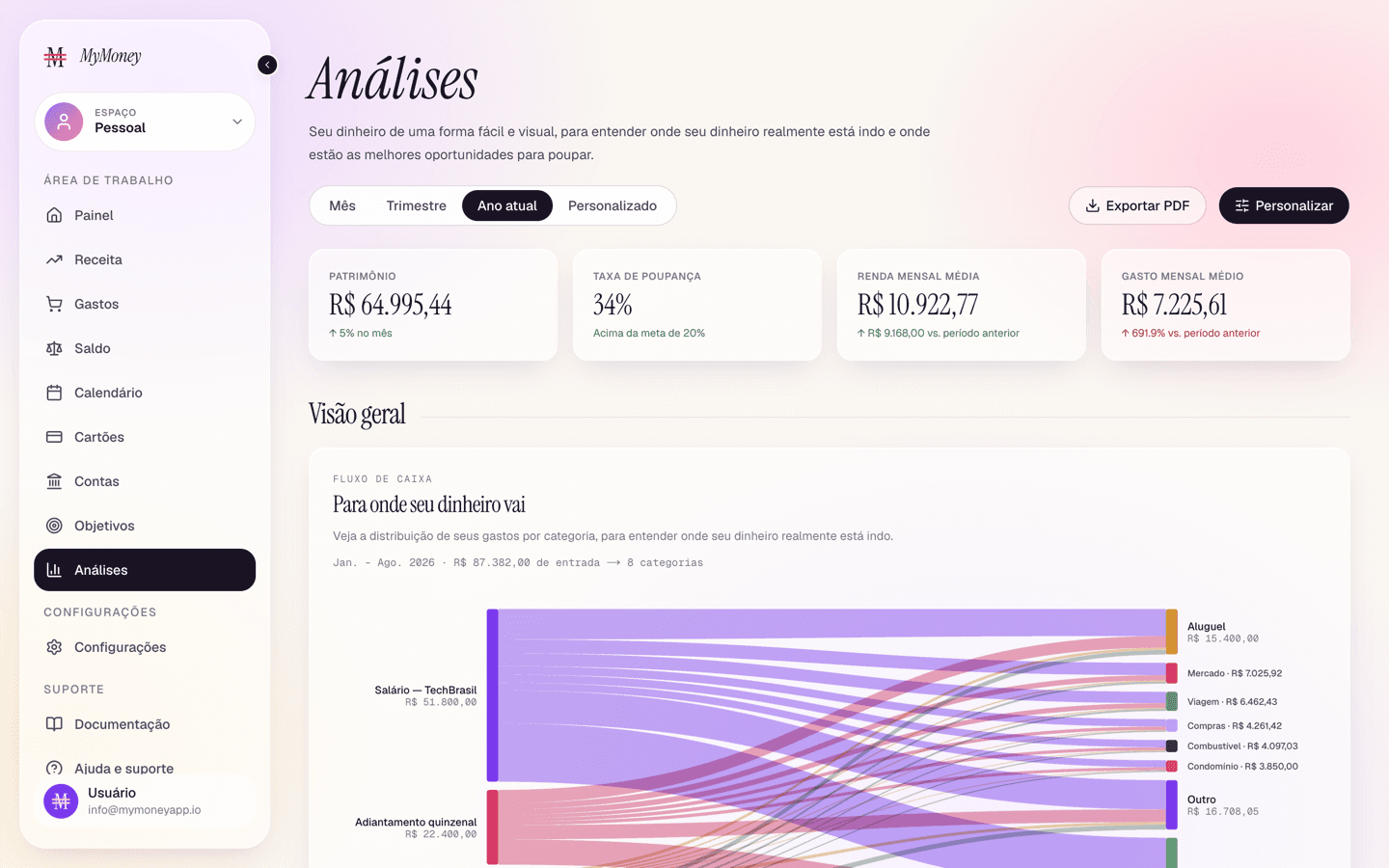
Analytics (Premium) is a report you assemble yourself.
Layout
- Pinned KPI strip — four headline tiles with period-over-period deltas.
- Four sections — Overview, Look ahead, Where it goes, Compare — populated from 17 available cards, including: Sankey money flow, net worth, save rate, category heatmap, compound growth, runway (how long your money lasts), goals, budget, recurring charges, top merchants, unusual spend, subscriptions, benchmarks, this-vs-last, and seasonality.
Controls
- Period filter — defaults to Year to date; supports month/quarter/custom.
- Customize — opens the card picker (see below).
- Export PDF — prints the current report to PDF via the browser.
Adding and removing charts
Nothing on this page is fixed except the four KPI tiles at the top: every chart below them is a card you can switch on or off, so the report only shows what you actually look at.
Open the card picker
Click Customize in the top-right corner (on phones it's the sliders icon in the app bar). A window opens listing every available card grouped by the section it belongs to — Overview, Look ahead, Where it goes, Compare — each one shown as a small preview of the chart itself, so you can recognise it without reading the name.
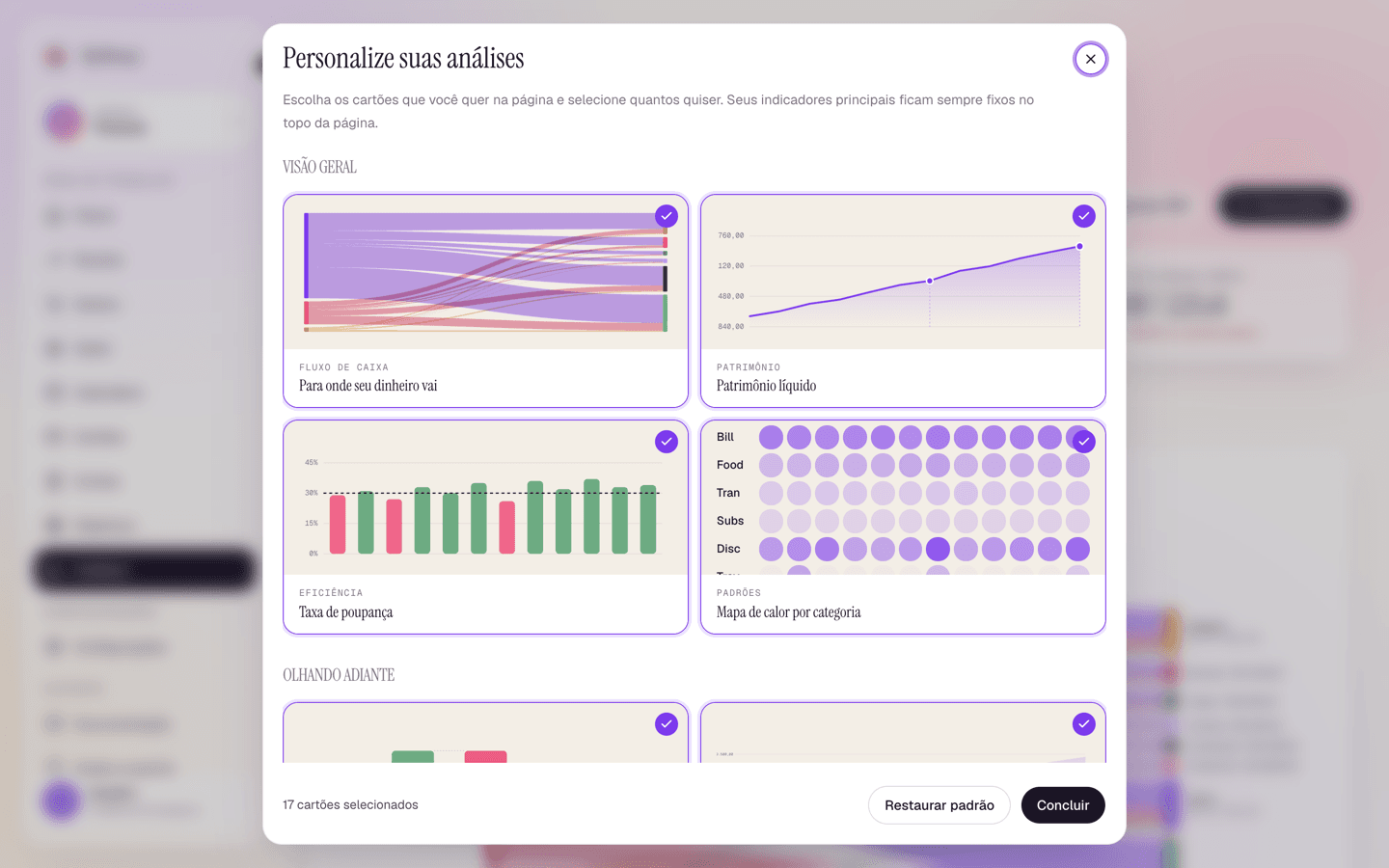
Add or remove a chart
- Cards currently on the page carry a check mark in the corner.
- Click a card to turn it off — the check mark disappears and the chart leaves the page.
- Click it again to turn it on, and it comes back in its section's normal position.
The counter at the bottom left ("17 cards selected") tracks the total as you go, and you can turn off as many as you like — a section with nothing selected simply disappears from the report.
Save or start over
- Done closes the window and applies your selection. The layout is saved to your account, so the report opens the same way on your next visit and on other devices.
- Reset to defaults puts every card back, which is the quickest way out if you hid something and can't remember which.
Hiding a card never deletes data — it only changes this page. Turn it back on at any time and the chart returns with your full history.