Goals
Set savings goals, track your pace, and simulate how to finish sooner.
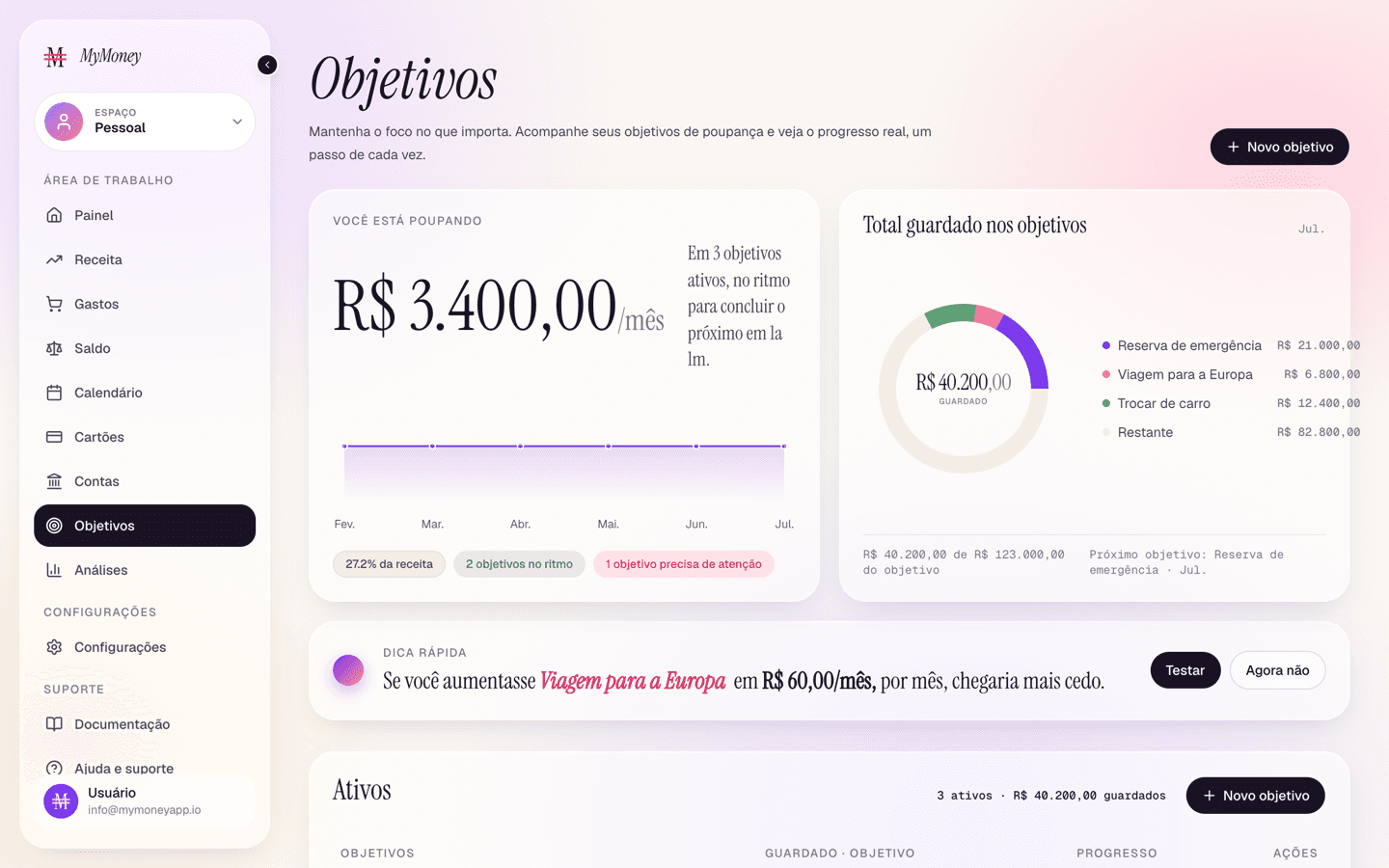
The Goals page keeps savings targets on track.
Creating a goal
- Click Add goal.
- Enter a name, the target amount, and optionally a target date, a monthly saving commitment, an amount you've already saved, and a color.
- Save. Validation catches impossible setups (saved amount above the target, past dates) and warns when the monthly amount won't reach the target in time.
Following progress
- Savings overview — total saved vs target, your monthly saving as a % of income, and how many goals are on pace vs needing attention.
- Active goals — each goal with a progress bar and pace label. The gear opens Manage goal (edit anything, or delete with confirmation).
- Activity timeline — a history of contributions and milestones.
- Completed goals — finished goals with completion dates; Reuse starts a fresh goal from the same template.
The what-if simulator
Drag the slider (or enter a custom value) to see what saving a little more per month would do: the projection shows your current pace against the accelerated one and how many months sooner you'd finish. Confirm change applies the new monthly amount to your plan.