Import and export
Bring your history in from CSV/XLSX/OFX, or export everything, on any plan.
Open Import/Export from the Dashboard header or the mobile menu. It is available on every plan, the free Starter included. The window has one tab for each direction.
Importing your history
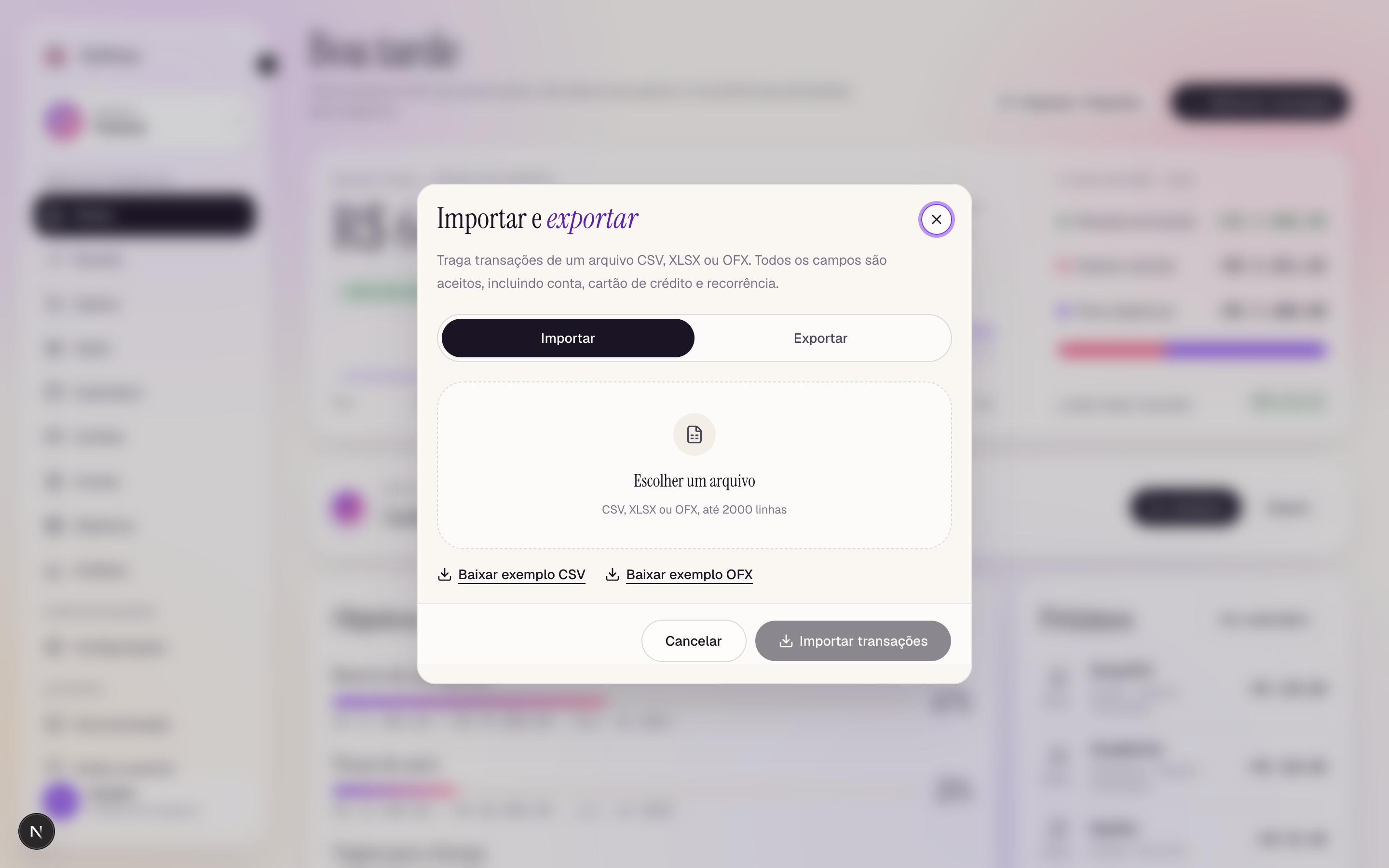
Want a file to try first? Download an example in any supported format:
- In the Import tab, drag in (or choose) a
.csv,.xlsx, or.ofxfile. "Download CSV example" and "Download OFX example" links provide templates for each format; a row cap is shown. - The app parses the file and opens a review step:
- recurring series it detected (e.g. a monthly subscription) are listed;
- rows missing amounts get inline inputs — fill them or choose skip/keep;
- rows missing dates get inline date inputs;
- anything invalid is listed per row, and a summary shows exactly how many rows will import.
- Confirm to import. Accounts and cards named in the file that don't exist yet are created automatically.
Imported history does not re-apply to your account balances — the balance you entered when creating the account already reflects the past, so nothing is double-counted.
How OFX files are read
OFX is the statement format banks and credit card issuers offer for download, so it carries fewer fields than the CSV/XLSX column set:
- Each entry brings its date, amount, name, and memo. The sign of the amount decides the type: negative imports as an expense, positive as income.
- The statement's account id becomes the account (or credit card, for card statements) name — a matching account is reused, otherwise one is created, exactly as with CSV/XLSX.
- Fields OFX doesn't carry — category, status, installments, recurrence — use the same defaults as a spreadsheet with those cells left blank, and the review step (including recurring-series detection) works the same way.
Exporting
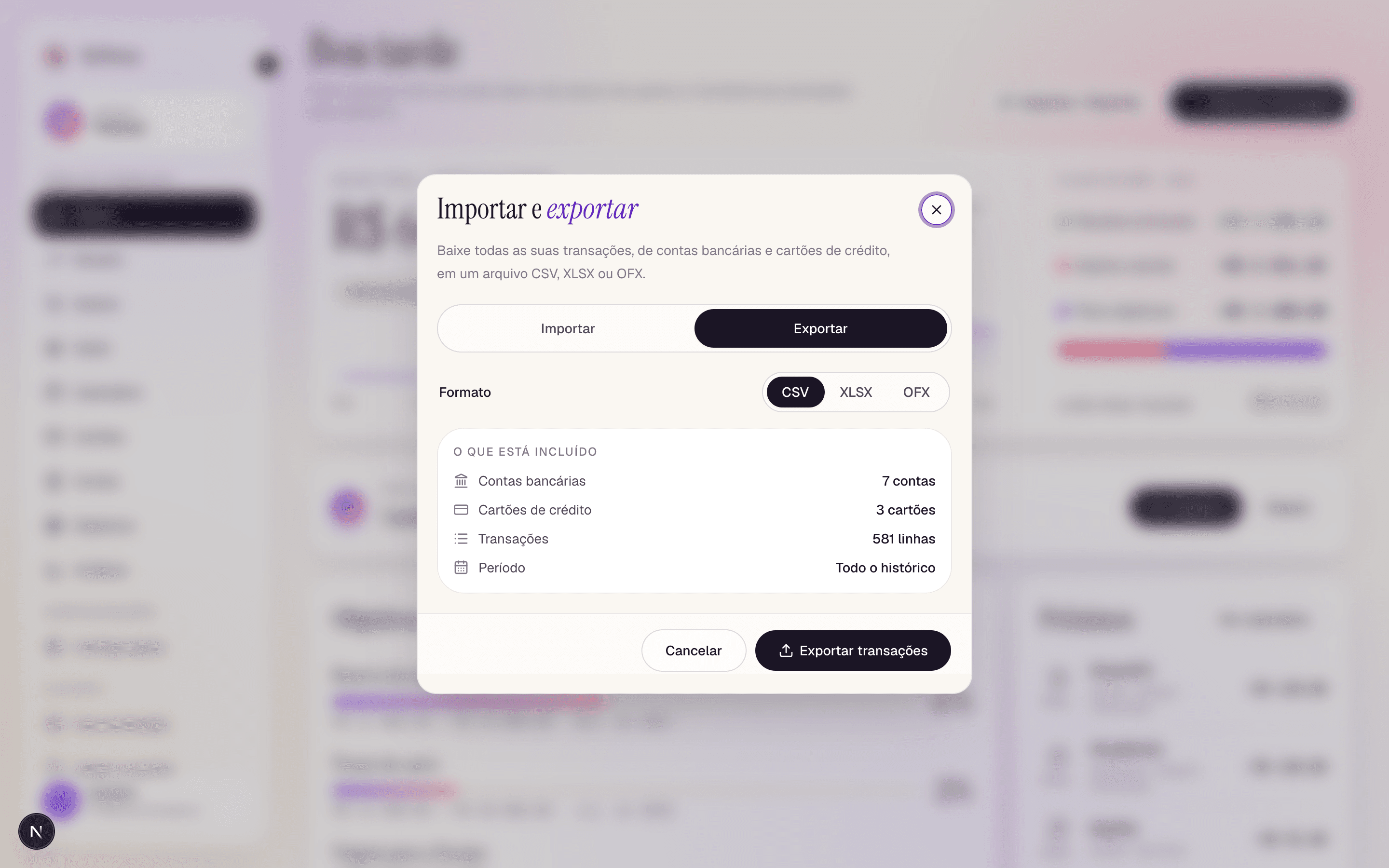
Switch to the Export tab and pick CSV, XLSX, or OFX. Before you download, "What's included" counts exactly what the file will contain: your bank accounts, credit cards, transactions, and the period covered (all history). Click Export transactions to download it.
CSV and XLSX keep all 18 columns and are re-importable as-is. OFX writes a standard bank-statement file (dates, amounts, names, and descriptions only) that other finance apps can read; categories and recurrence are not part of the OFX format.