Income
Track salaries and other income sources, and see when payouts arrive.
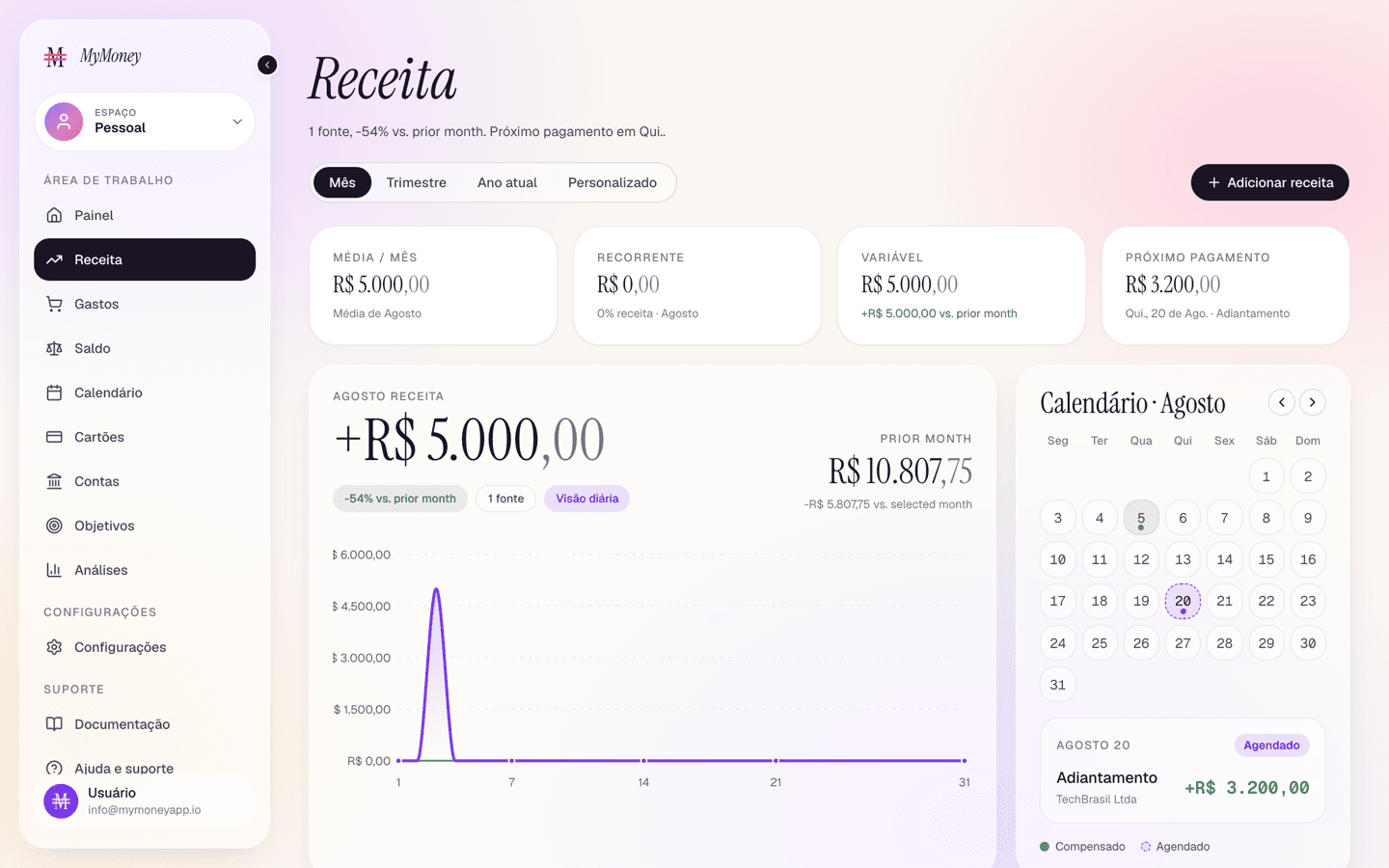
The Income page mirrors Spending, but for money coming in.
What's on the page
- Period filter (month / quarter / YTD / custom) and an Add income button.
- KPI row — average monthly income, recurring vs variable split, next expected payout.
- Income overview chart — total income against recurring income for the period.
- Payout calendar — a month grid (with previous/next stepper) marking the days money arrived or is scheduled to arrive. The legend distinguishes Cleared from Scheduled; click a day for details.
- Income sources — a table of everything paying you: Source, Type (Recurring / Variable / One-off), Category, Last paid, and Amount. Search and filter by type; click a row to edit the source's latest transaction.
Tips
- Mark your salary as recurring when adding it — the payout calendar and the Calendar page will project future paydays automatically.
- Income is deposited into the deposit account you pick on the form (your primary account by default), raising its balance immediately.