Settings
Profile, billing, integrations, security, and app preferences.
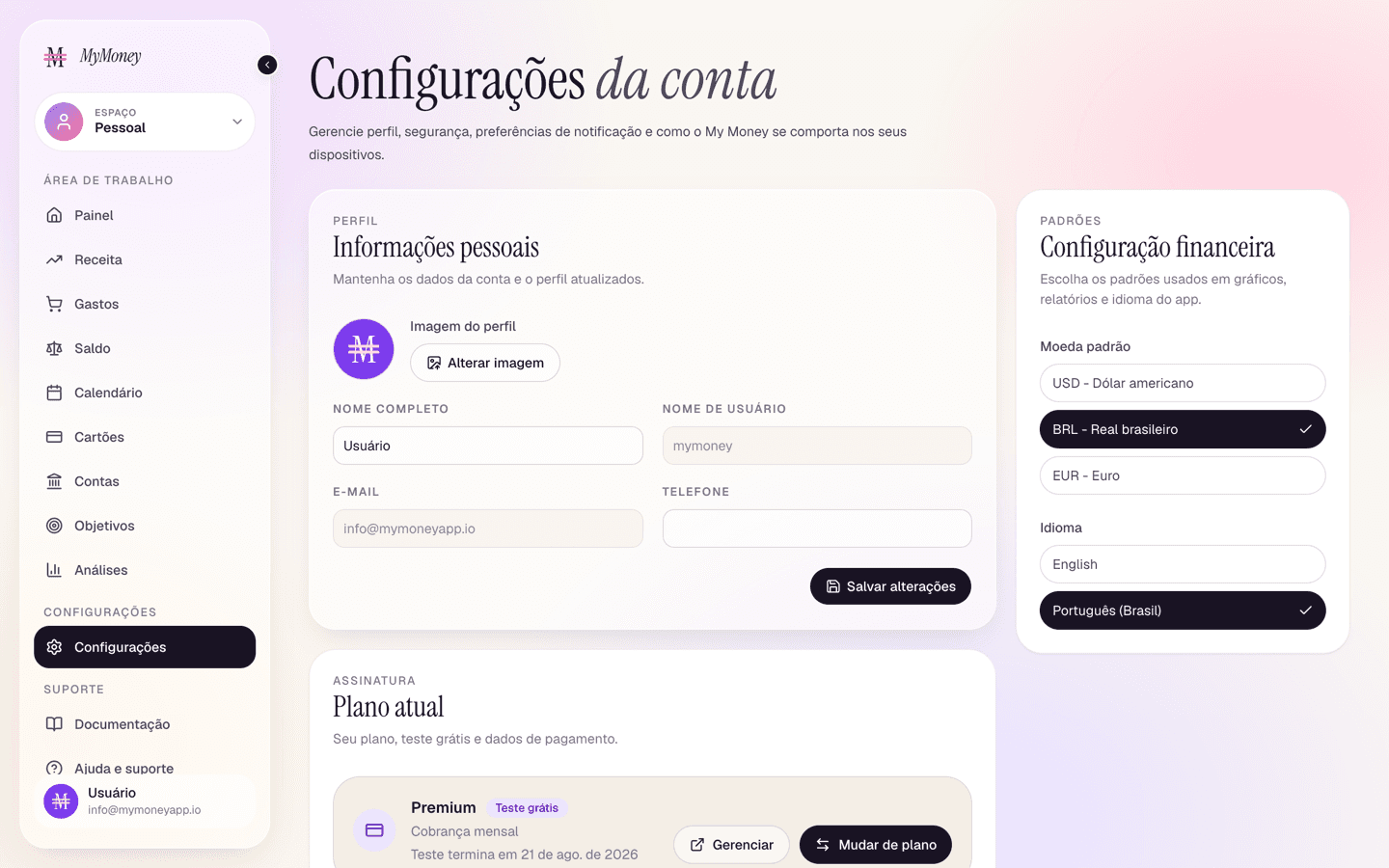
Settings is organized into cards:
Profile
Update your avatar, full name, and phone. Username and email are managed by your login and shown read-only.
Billing
Shows your plan and status. On the free Starter plan the card shows Upgrade, which opens the plan picker for Plus and Premium. On a paid plan it shows the status (Free trial during the first 7 days, active, past due, or Free month while referral days are running), the renewal or end date, how many days are left in the period and, when the plan is set up to be paid, the next billing date. During free days with no payment set up, a note offers Keep my plan, which opens a Stripe page to set the payment up so the plan continues when the days end; Manage and Change plan open the Stripe billing portal, where you can switch between Plus and Premium, change the card, see invoices, or cancel. Cancelling takes you back to Starter at the end of the paid period; see Getting started.
If My Money granted your account a complimentary plan, the card shows the plan with the status Complimentary and no buttons: there is nothing to pay or manage, the plan has no end date and no card is ever asked for.
Deleting the account is not here: see Deleting your account.
Referrals
Your personal invite code and link, with Copy link and (on phones) Share, plus a tally of friends who signed up, friends who went paid and free days received. How the reward works is in Invite a friend.
Google Calendar sync (Premium)
Connect your Google account and the app creates a dedicated "My Money" calendar it manages for you — your other calendars are never touched. Choose what to sync (bills, subscriptions, card dues, income, tax, loans), trigger Sync now, check the last-synced time, or Disconnect at any point.
Household (Premium)
Create and manage your shared workspace here — see Households.
Security
Change your password. Saving signs out your other sessions for safety.
App settings
- Theme — light / dark / system.
- Full screen mode, budget alerts, bill reminders, weekly summary email.
- Hide balances — privacy mode that masks amounts (useful in public).
Defaults
Display currency and language (English / Português).
Deleting your account
The red Danger zone card at the very bottom of Settings offers Delete my account, on any plan. It asks why you are leaving (a short list of reasons plus an optional note; the answer is emailed to our support inbox so we learn from it) and then permanently deletes your login, accounts, cards, transactions and goals, and cancels any remaining subscription. If you created a household, its shared space is deleted for every member too, so export your data first if you want to keep it. There is no undo.