Spending (Expenses)
See where money goes: category breakdowns, trends, and every expense in one table.
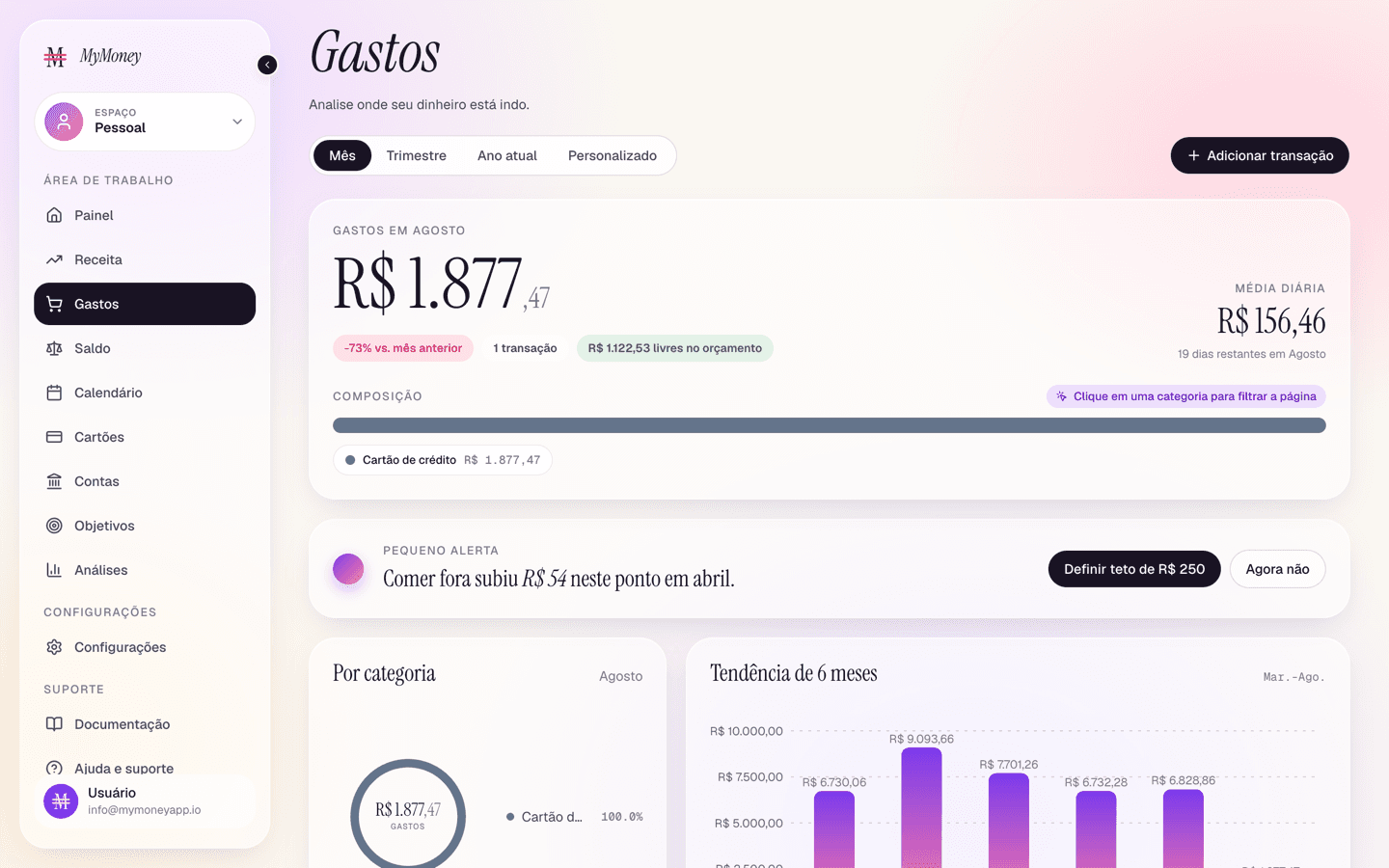
The Spending page breaks down your expenses for any period.
Choosing what you're looking at
- Period filter — This month, Quarter, Year to date, or a custom range with a date picker.
- Category focus — click any slice of the category strip (or a chip in the table) to filter the entire page to that category; "All categories" resets.
What's on the page
- Spending overview — total spent, number of entries, budget left, daily and per-entry averages, and your single largest entry, plus the category composition strip.
- Quick tip — a suggestion like setting a cap on a category that grew versus last month.
- Category spend — a donut with a ranked category list.
- Spending trend — spending over the months, so you can spot drift.
- All transactions — a searchable, sortable table of every expense in the period (Merchant, Category, Card, Date, Amount) with pagination and a total. Click a row to edit.
Things to know
- Card statement payments appear here under the Credit card category (named "(Card name) bill"). The individual card purchases appear under their own categories. See Credit card statements and bills.
- The Add expense button here opens the transaction form locked to expenses.